
Features
The smart suite
Four features for attendees and three for organizers. Everything here is a concept design or a plan, shown so you can react to it.
For attendees · Concept, first shown at the Indico Workshop 3.5 (2023)
Smart Search
Ask for what you want in plain language. Smart Search understands the question, not just the keywords, and shows matching events with the details you need to choose.
Questions it should handle
- What are the upcoming conferences related to particle physics?
- Show me the events in the next 3 months.
- Show me the conferences related to the Higgs boson discovery.
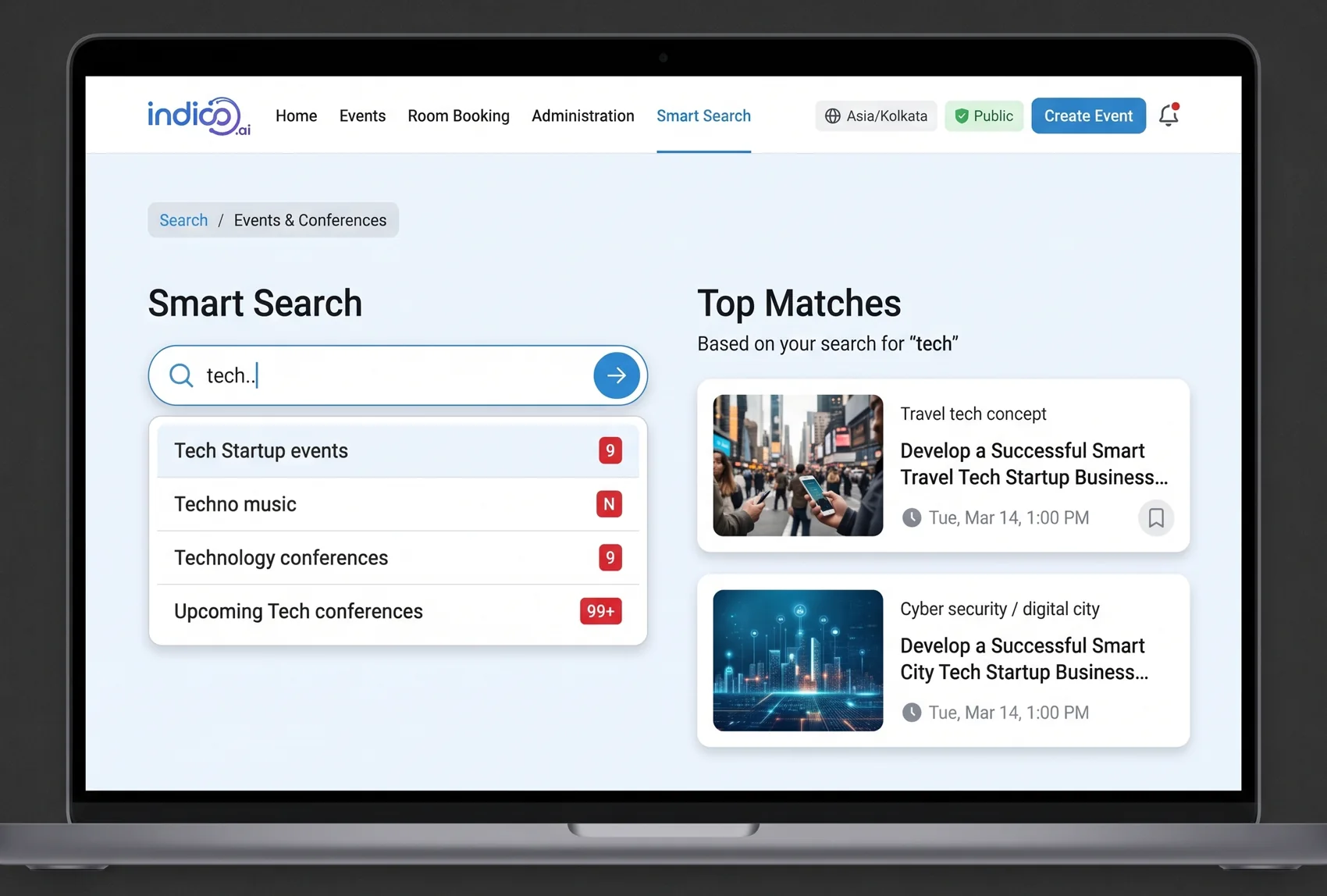
How it could work
- Understand. Read the question, including time phrases such as “next 3 months”.
- Match by meaning. Compare it with titles, descriptions and categories, not only exact words.
- Respect access. Show only the events the person is allowed to see.
For attendees · Concept
Smart Chatbot
A chatbot that answers questions about the event someone is looking at, provides event details and helps them register.
Questions it should answer
- How can I contact the event organizers for any queries or concerns?
- Is there a deadline for event registration?
- How do I receive my event tickets?
- Is there a limit on the number of registrations for an event?
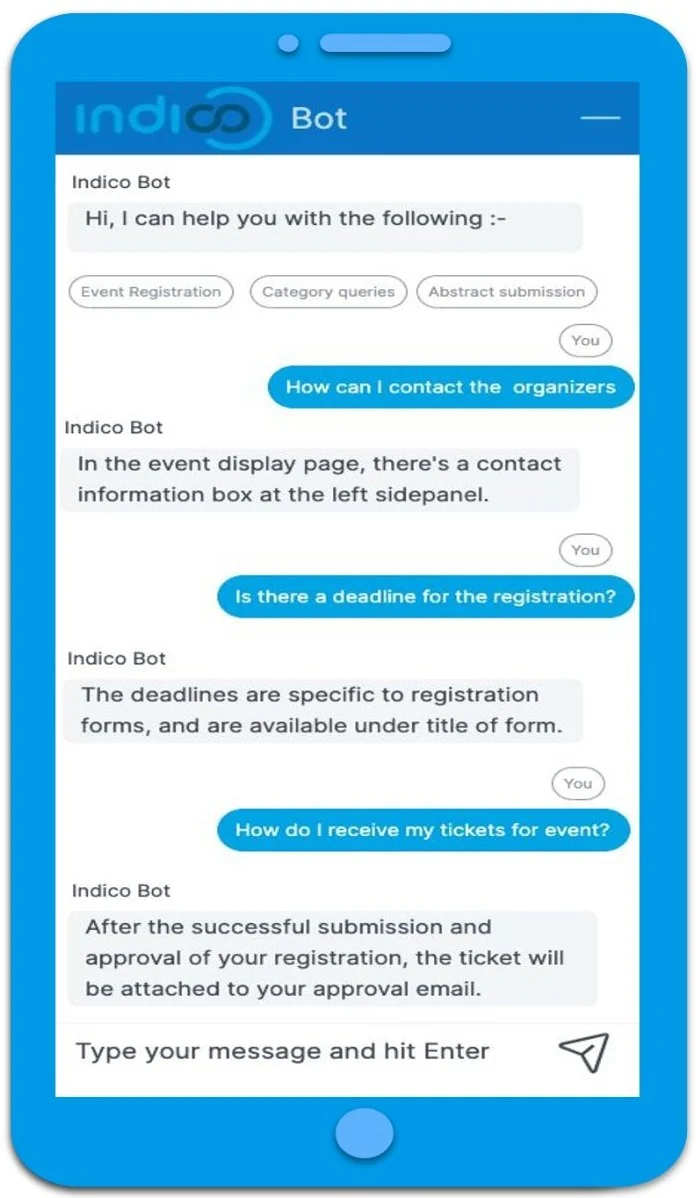
What makes it useful
Specific to the event
Answers come from that event's own pages and registration forms.
Help with registration
Points people to the right form, deadline and next step.
Hands off to people
When it doesn't know, it tells you how to reach the organizers.
For attendees · Concept
Smart Recommendations
Machine learning that recommends events and content based on a person's interests and location, so the homepage shows what is relevant to them.
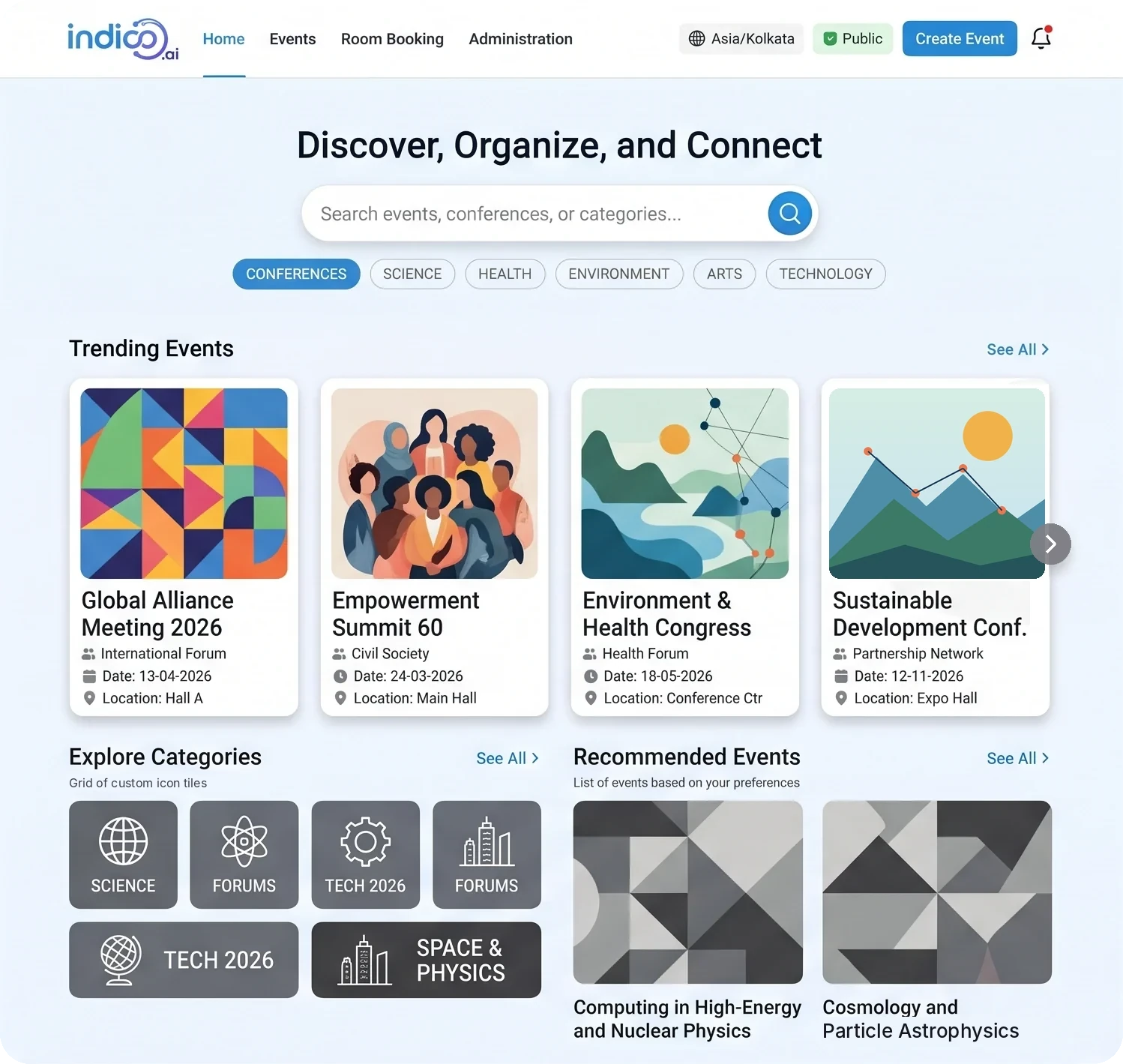
How it could work
- Find candidates. Gather events that could fit.
- Gather evidence. Interests, past registrations, location.
- Filter and de-duplicate. Remove what is not relevant or already seen.
- Rank. Order by predicted relevance.
- Format. Arrange into rows people can browse.
- Choose. People pick, and their choices feed back in.
This is the standard pattern for a personalised homepage. For a public example, see Netflix's write-up Learning a Personalized Homepage.
For attendees and organizers · Concept, presented at the Indico Workshop 2025
Smart Notifications
Emails get buried. Short, event-driven notifications reach people on their device at the right moment, even when Indico isn't open. Targeted, and respectful.
When people want to hear from you
- Registrations open for a favourite event, or a new event appears in a favourite category.
- The timetable of an event is published.
- A last-minute change to the timetable, dates or rooms.
- A registration is approved.
- An abstract has been reviewed, or a badge was checked in at the entrance.
Strategy
Segmentation
Tailor by role, participant or organizer, and by personal preferences.
Timing
Organizers configure triggers on key actions, such as session updates or new materials.
Personalization
User-specific alerts, like “Your talk is starting in 15 minutes!”
Technical approach
- The Web Push protocol with VAPID keys and service workers.
- The front end requests and manages the push subscription.
- The server dispatches notifications securely.
- Opt-in by design, respecting GDPR and each person's preferences.
For organizers · Concept
Smart Compose
Write organizer emails faster. Common phrases complete as you type, or an LLM drafts the whole body from a short prompt. You edit it, then send.
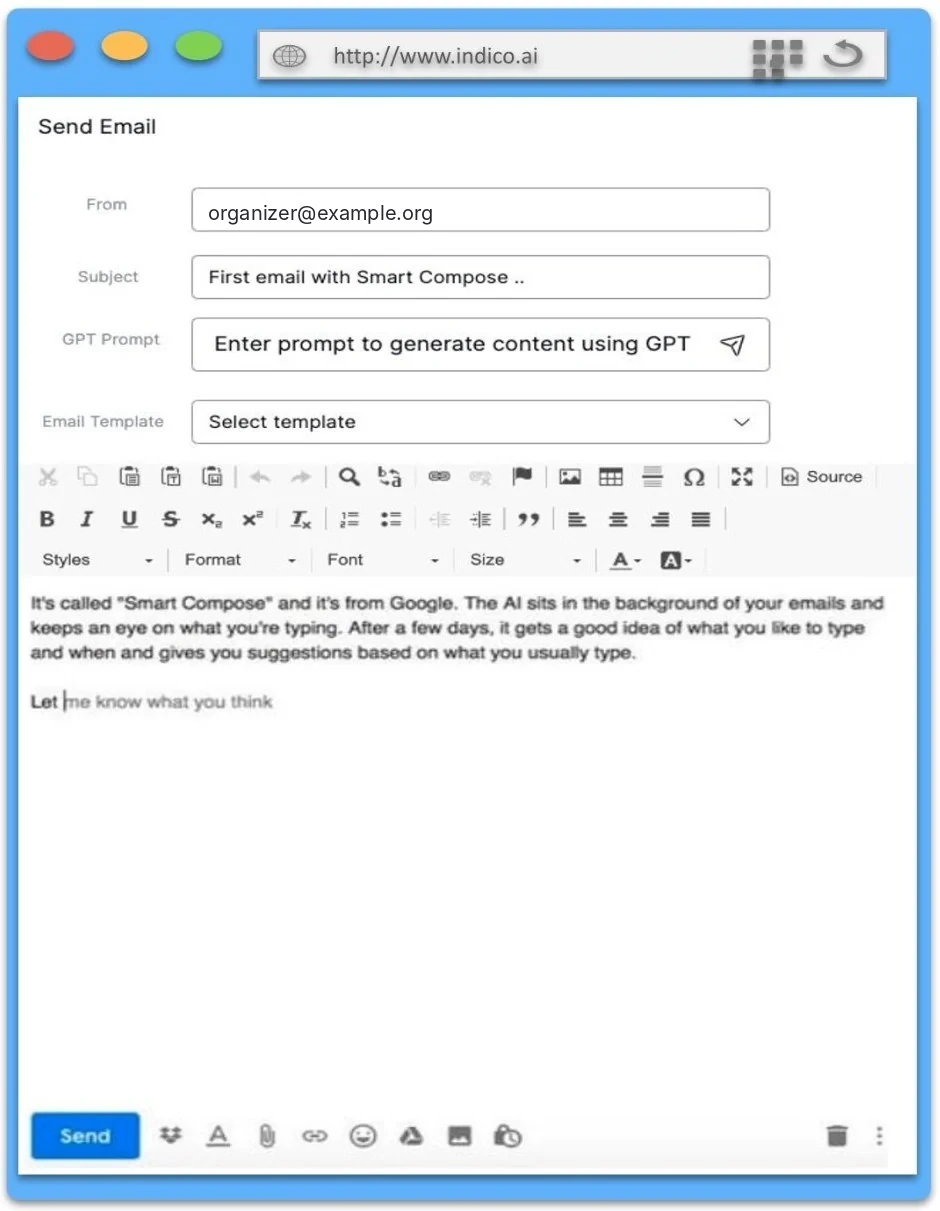
Phrase completion
Completes commonly used phrases and sentences in the body of an email.
Draft from a prompt
Describe the message, get a first version inside the editor.
Always reviewed
Nothing is sent until the organizer has read and edited it.
For organizers · Concept
Smart Analytics
Use past attendance, participant demographics and other signals to predict which events will be popular, and plan for it.
- Predict which events will be popular in the future.
- Automatically find the trending categories.
- Support pricing decisions for paid events.
- Book a room according to the forecasted registrations.
Illustration only, not real data.
From hindsight to action
What happened?
Past attendance and registrations, by category and audience.
What will happen?
A forecast of demand, with a range, not a single number.
What should we do?
Book the right room, time the promotion, spot rising topics.
Which of these would help your events most?
Tell me what you'd want first, and what would need to be true for you to trust it.